

We have just released Saved Searches in Tasks. This is a great example how functionality from our paid applications is taken and applied to our free applications. This time we reused functionality of Freedcamp’s Issue Tracker in Tasks.
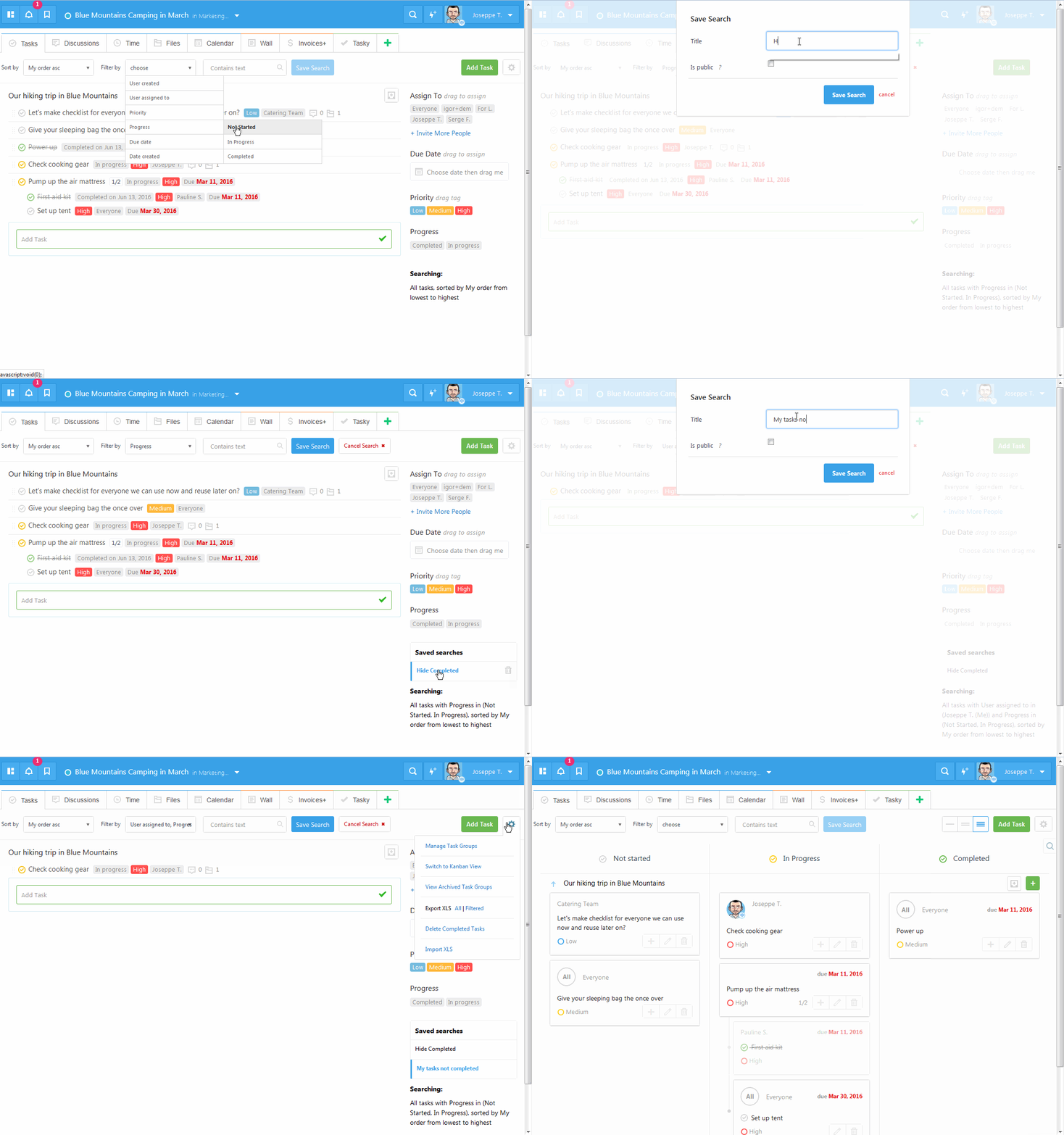
You can have now multiple saved searches one click away for ‘hide completed’, ‘my tasks’ or any other kind of search you often filter by. You can also share you saved searches with your team by making it ‘public’ – meaning visible to everyone who can see project’s tasks. If you create a filter ‘My Tasks’ and make it ‘public’ it will be working correctly for your team as ‘My’ will be substituted for a person using it, finding their tasks.
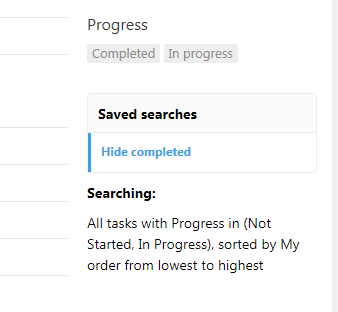
We created one saved filter ‘Hide completed’ which replaces an option we had in our interface for you.
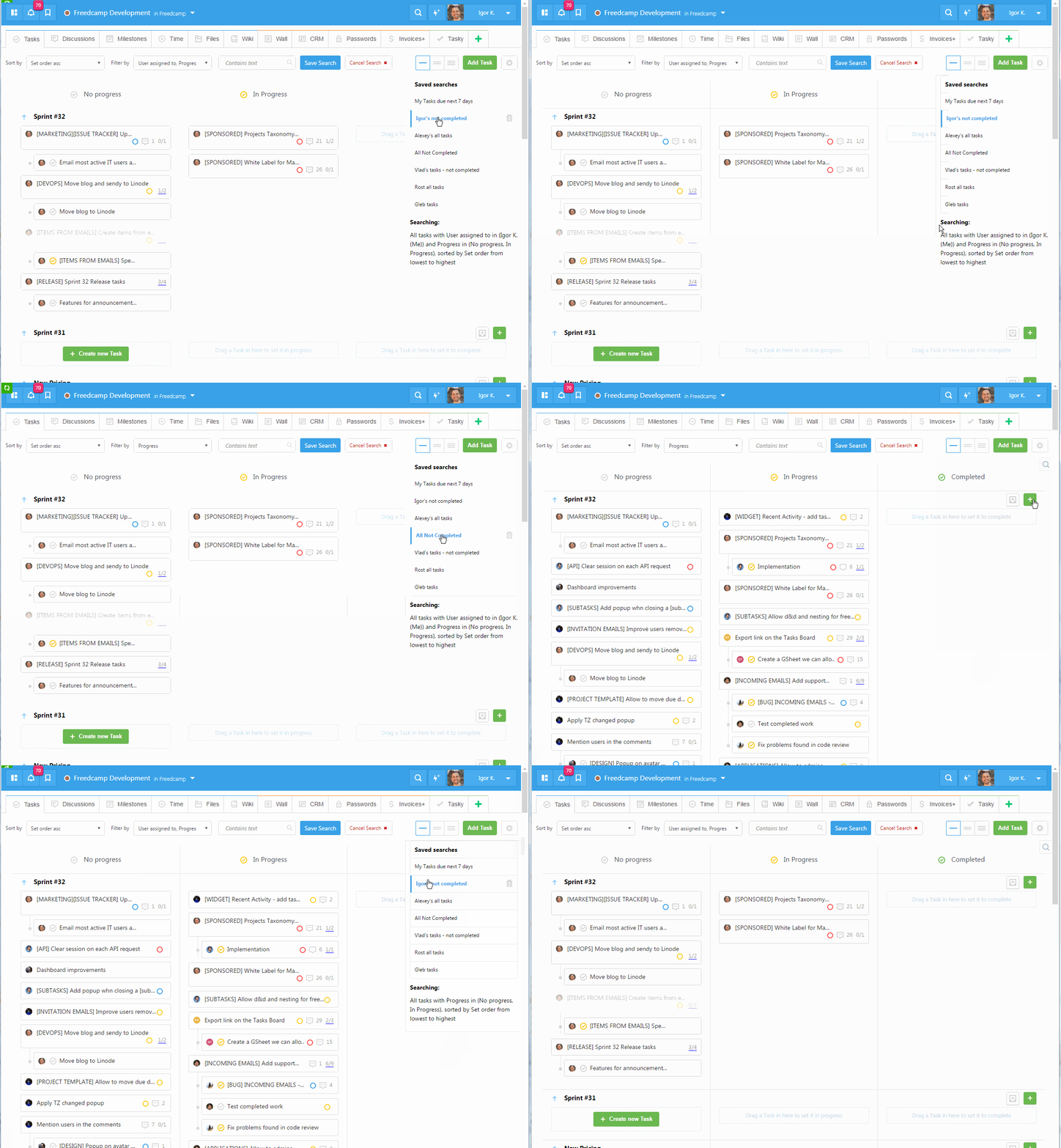
Update: Saved Searches are also available in Kanban/Sticky Notes view
Start your next project in two minutes
Freedcamp is free for unlimited projects, tasks and users. No credit card, no trial clock.


The function to erase the saved search isn’t working. I like the feature but I wanted to let you know!
Hi Lonny,
We saw several errors when delete search attempt failed – they were caused by cached *.js scripts. So problem will go away after cache refreshes. If not – please email me help@freedcamp.com
Igor
I’m really impressed with Freedcamp. And I’m grateful for your TELLING us and SHOWING us that you learn things in the paid version that eventually make their way broadly to the free versions.
Once you use it regularly and get a good feel for how to organize your projects in a way that works for you, freedcamp makes tracking projects MUCH easier than the old email way.
#UpgradingToday.
Thanks Lori!
Hide Completed is not showing up as an option under Saved Searches. How do I view “my tasks” list that I created as a saved search but also hide the tasks that I’ve completed. I liked the clean view beforehand so I can only focus on what still needs done.
Hi Natalie,
I will respond by email.
I have the same question as Natalie – after I have filtered, I would like to further filter by removing completed tasks – how do I do that?
Hi Mike,
I solved it for Natalie and it looks like I will need to update our blog and docs with a piece explaining ‘saved filters’. I will do it later today and post links to those in here.
Cheers,
Igor
Here it is – http://blog.freedcamp.com/2016/06/17/how-to-use-new-saved-searches/
It seems that the saved searches are per project. Is there any way of creating a filter that applies to all projects?
Hi Francis,
You can have saved searches on Global Tasks Board – https://freedcamp.com/dashboard/tasks
This is a really great feature, but it means I have to create a ‘Hide completed’ filter for every new project. It would be great to be able to save a filter for user scope so it applies to every project.
Hi Sid,
Due to popularity we will probably add a default public filter to hide completed tasks to each new project you create.
This is done now for projects where there are no saved searches yet.
Hi Igor,
I agree with Sid. Also, it would be great to be able to create public searches in the task dashboard (https://freedcamp.com/dashboard/tasks). I tried to created an “assigned to me” one; I know there is a similar widget in the widget board but this would be more flexible.
‘Hide completed’ is added now to every new project.
Do you also want ‘Assigned to me’ to be created in every project as a public filter? I am not sure that it will not be confusing as some people will think it is all assigned to me regardless of status, others will think that only Not Started and In Progress only but not Completed. Some people may not need it at all as they want to see only Assigned to me with due date next 7 days etc.
What do you think?
HI,
I can’t find the hide completed button in saved searches. How can I create one?
Cheers
Alan
Hi Alan,
Please check our first animation here – http://blog.freedcamp.com/2016/06/17/how-to-use-new-saved-searches/ – it answers your question.
Cheers,
Igor
Why I can see some few old tasks greyed and strikethrough when I select the filter to show only no completed taks?
Please check here – http://blog.freedcamp.com/2016/07/27/subtasks-filtering-is-here/
[…] Now subtasks are filtered using the same criteria as tasks. If you are not using Subtasks Pro extension in Freedcamp – check it out! It saves tons of time and works great with new Saved Searches. […]
how do I get the three coloumns in my dashboard? I just have a long list
Hi Isa,
Please email us help@freedcamp.com and send me link to a page in question.
Hello,
I’m unable to see the “Hide Completed” in my saved search area in my interface (as a few users have indicated below.) I already had a few saved searches, but I’m not sure why this new one isn’t available? Any info is great. Thanks! – Stephanie
Hi Stephanie,
It is very easy to create – simply select ‘No Progress’ and ‘In Progress’ in filters and save it as ‘Hide completed’.