


For all of you who had ‘Hide Completed’ tasks filter on we created a similar saved filter replacement. Here is an instruction as to how to create one from scratch.
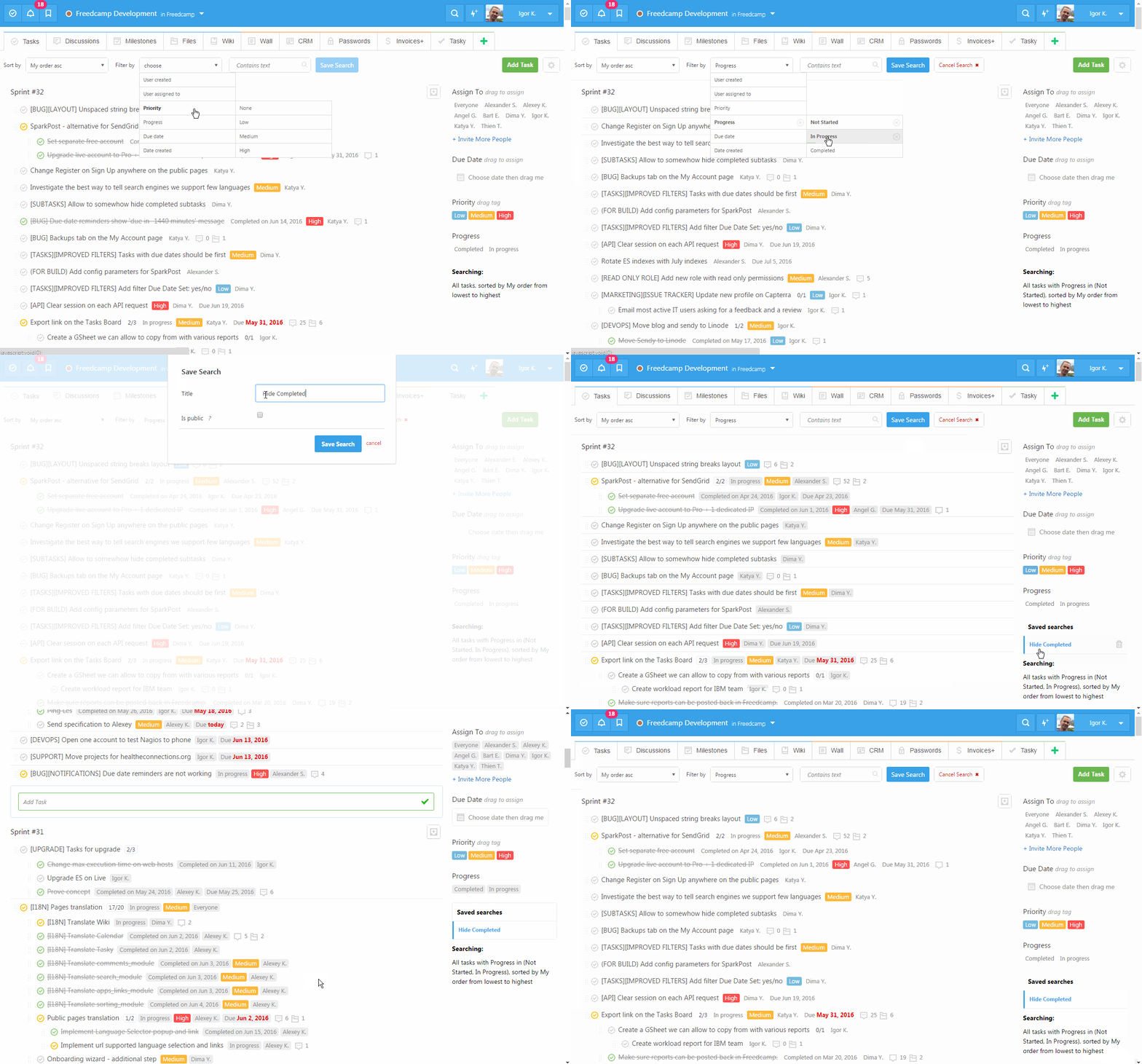
Now we will create ‘My tasks due next 7 days’ filter and make it public.
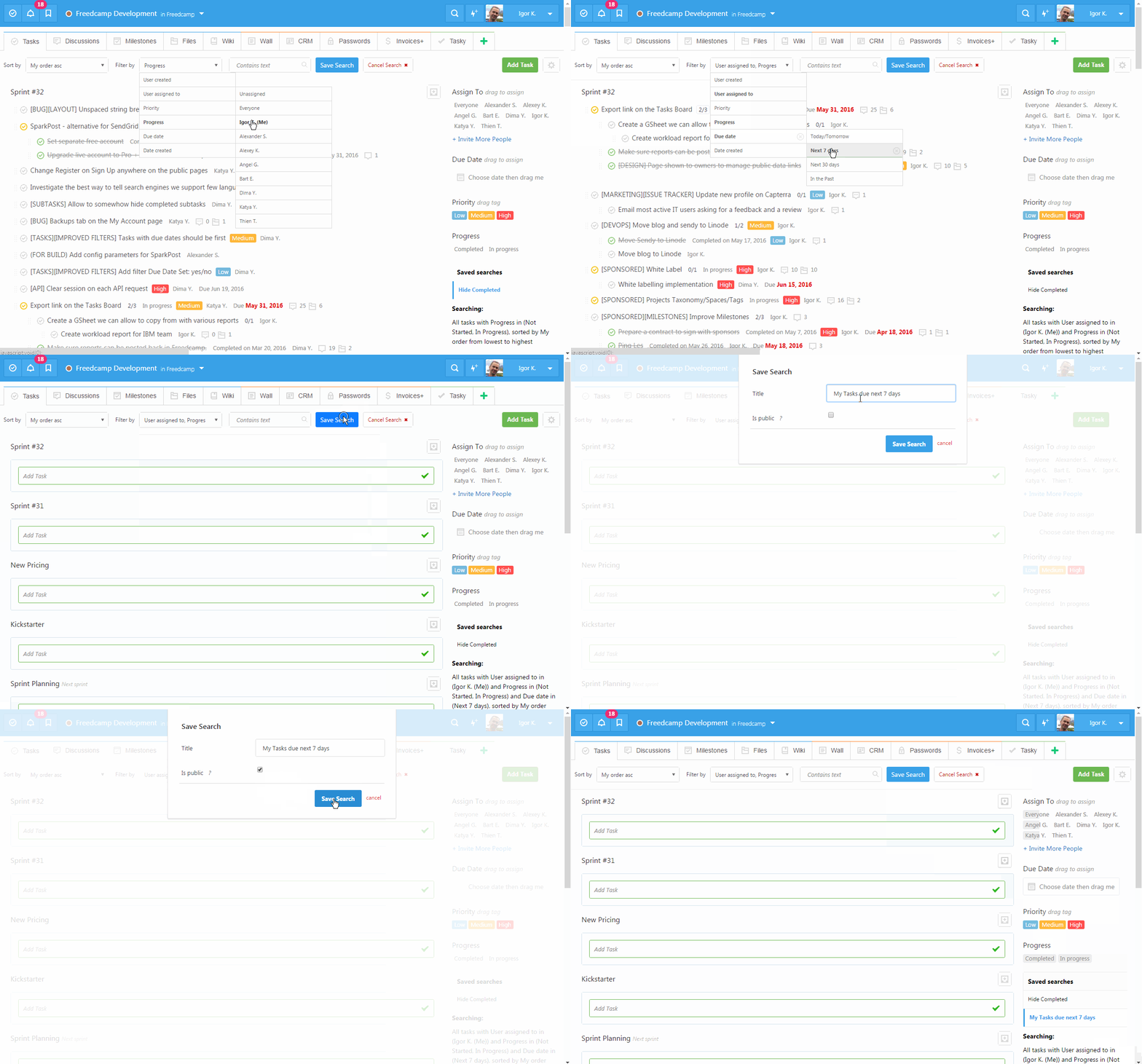
When you make it public it is smart enough to show up to all of your team with the same name ‘My tasks …’, but will apply to a user using it. So Igor will see Igor’s tasks and Angel will see Angel’s tasks using this public filter. This is done to allow you to share filters with your team especially if they are not tech savvy people easily.
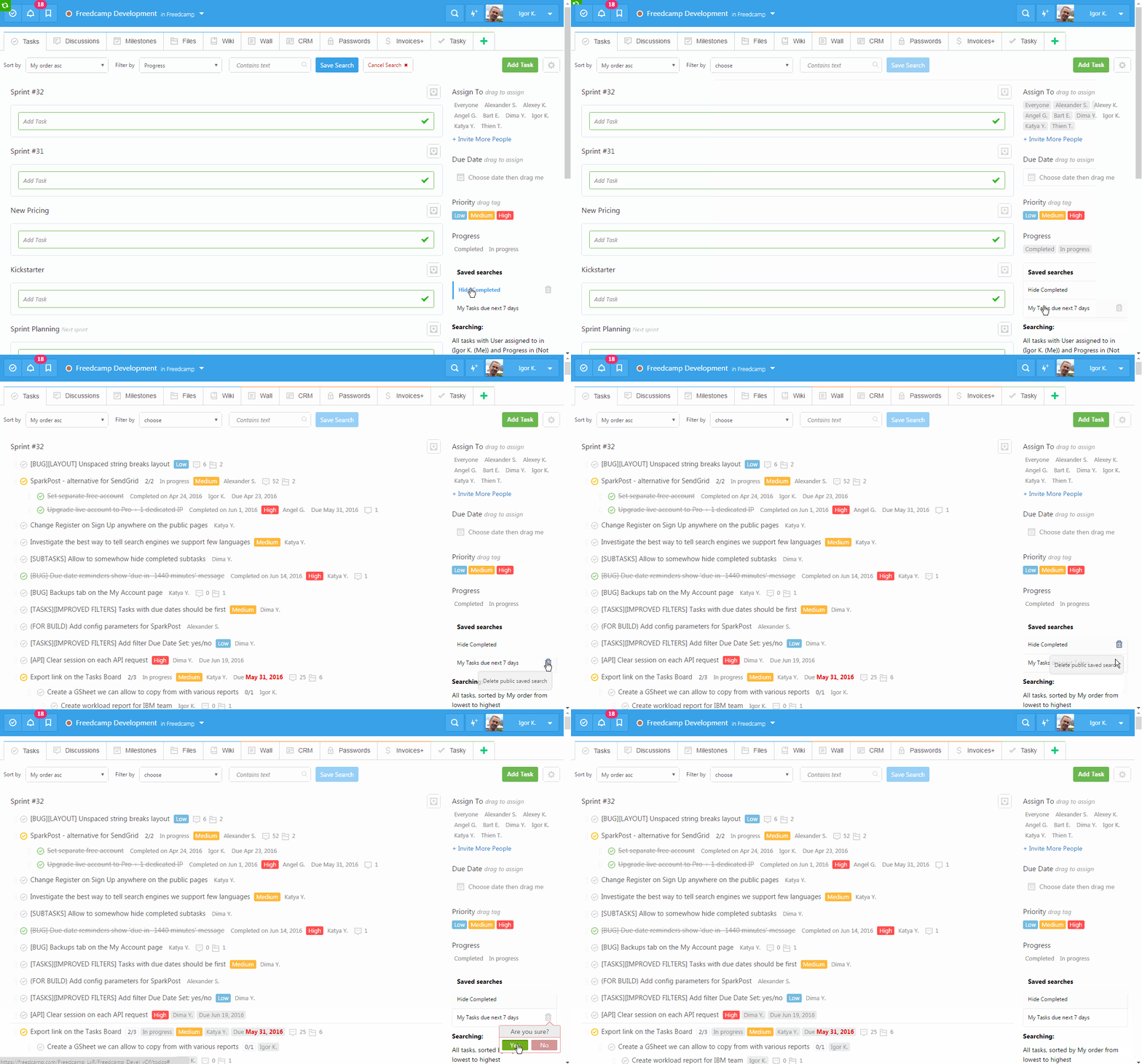
Finally we show how to switch between saved filters, how to remove filtering (just click saved filter again) and how to delete saved filter. We did not implement edit saved filter as it is super easy to create a new and delete not needed one.
Start your next project in two minutes
Freedcamp is free for unlimited projects, tasks and users. No credit card, no trial clock.
Comments
5