


This post is a response to a feature request on our feedback portal.
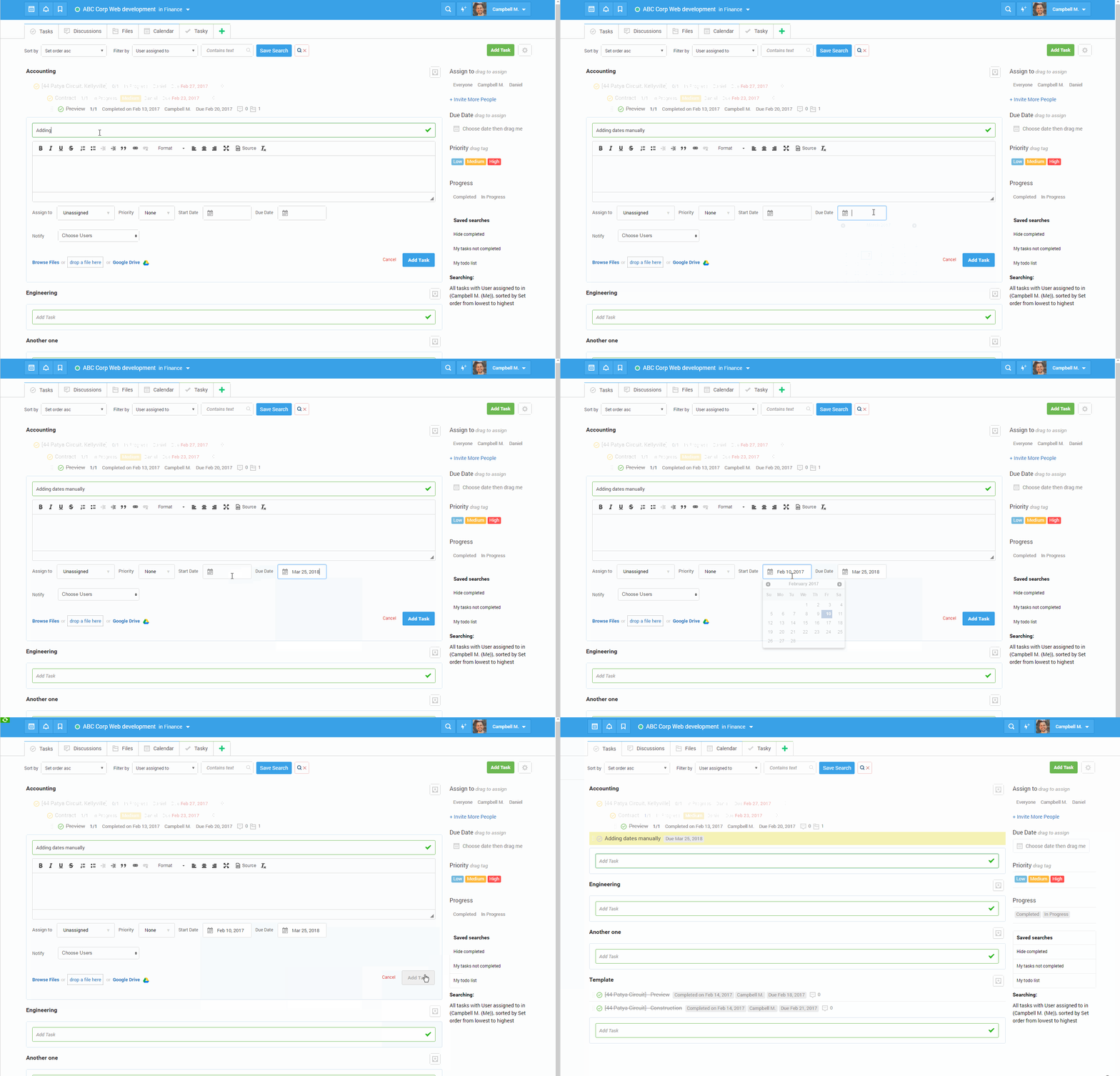
My team schedules most tasks out months in advance, and I feel like I am losing a lot of time having to scroll through months of the calendar when assigning due dates. While I can type in a date in the field, it does not allow me to select that as a due date. Could there please be a way to type in a due date and select it instead of having to scroll through months of the calendar every time we need a new date?
Here is the answer (click to enlarge):
Start your next project in two minutes
Freedcamp is free for unlimited projects, tasks and users. No credit card, no trial clock.
Hello – the above is great if you are creating a new task, but how do I add start dates on tasks that have already been created?
Hi Erin,
Option 1 – edit a task
Option 2 – use Gantt chart
Option 3 – Tasks List view – select one or multiple Start Dates on the right side panel and drop them to tasks
Regards,
Igor
Sorry, I am not seeing this. I only see “Due Date” — no “Start Date.” Did this change? Or is there an add-on or upgrade or widget I need to install? Thank you!
Hi Drew,
Start Dates are only supported on Freedcamp paid plans – please check our pricing page https://freedcamp.com/pricing – a big table will show all features by a plan.
Regards,
Igor
Got it – I thought that might be the case! We will be subscribing later this month. We are really impressed with how you consistently blog about new app features and customer feedback, as well as your fast response times to blog comments. Thank you!