← Back to overview

Quick Tip: how to link an existing TODO with a Milestone

Just click bell icon on right to quickly link or unlink a TODO to a Milestone.

Please click animated gif below to see full size.
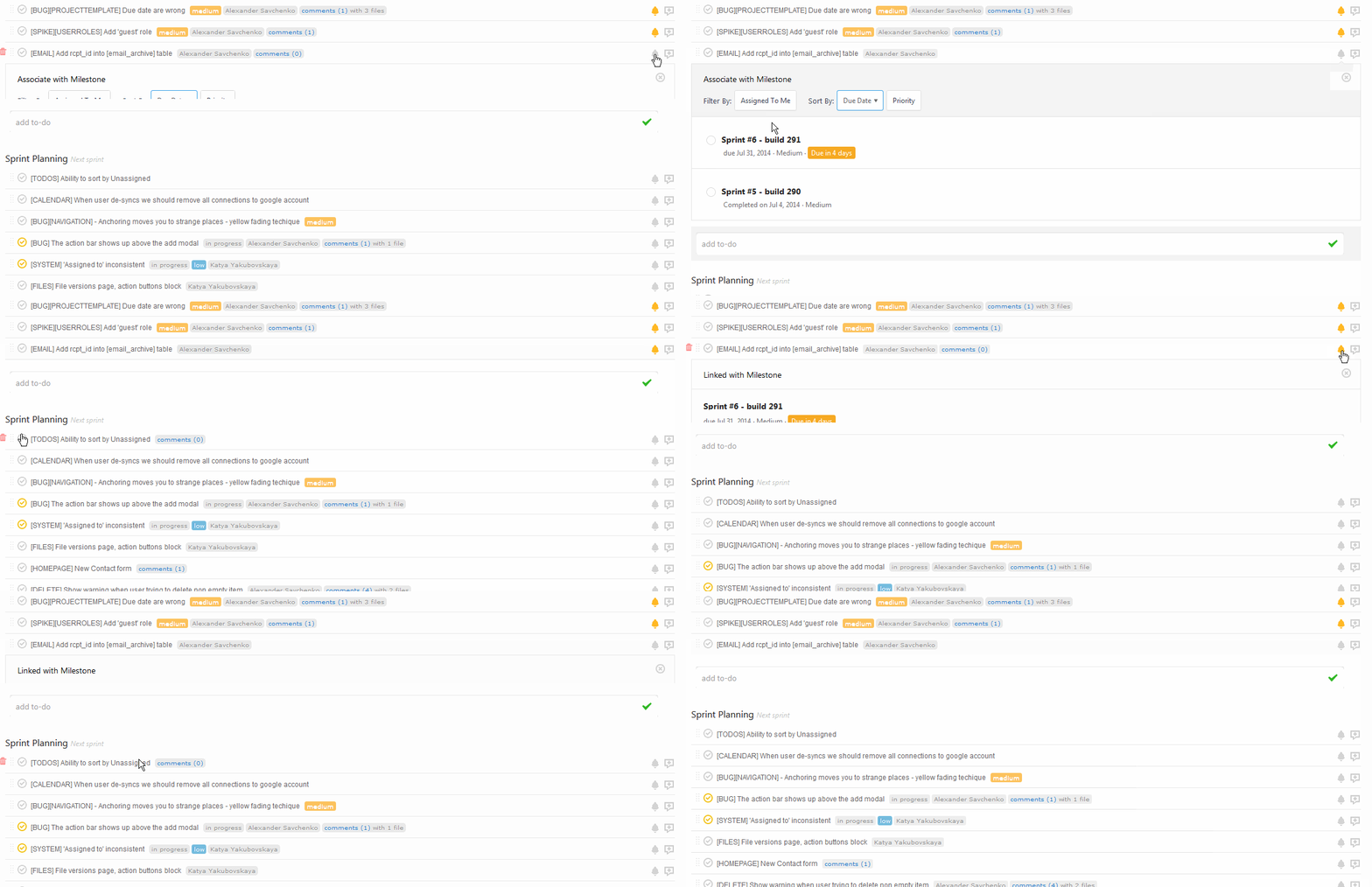
How to link existing TODO to a Milestone

Start your next project in two minutes

Freedcamp is free for unlimited projects, tasks and users. No credit card, no trial clock.

Comments

8

  1. What is the difference between a to-do (task) and a milestone? Is a milestone supposed to be a subtask?

    If so, it is silly that you have to create milestones and to-dos separately AND THEN link them. When you create a to-do in the edit or quick edit link there should be a “add a milestone” option there as well.

    It’d also be nice to be able to add multiple milestones at once to save a few clicks – and similarly, add multiple to-dos and files.

    • Yes*3

      1. We want to add quick add to tasks and milestones
      2. We want to change Milestones view to make it look like Tasks view with ability to easily drag and drop tasks between Milestones, see unassigned yet tasks and drag and drop them to milestones etc.
      3. We want to add option to add Milestone when you add a task and add a task when you are inside Milestones app. I know it is not a proper solution but we have Quick Add – http://blog.freedcamp.com/2015/05/01/quick-add-coming-soon/ which allows to create a Milestone without leaving Tasks and a task when you are inside Milestones.

  2. Hi,

    I’m not be able to link Milestone and Tasks as there’s no bell icon in my Tasks list.

  3. Alexandra Perez-Puelles March 24, 2018

    Does this feature still exist?

  4. I have gone to Kanban mode and clicked on the pen to edit a task. I do not see any way to make a task into a milestone through the edit task form. I have tried in Chrome and Firefox. Could you please say exactly where this option is located on the edit task form if it is still available? Thank you!