


The ability to stay on top of your Project’s resources is critical. It allows you to get a general overview for each project, more importantly, it also enables you to break it down to the various aspects that make up the resource allocation of that project. With our Gantt View resources revolve around the human contributions for each project.
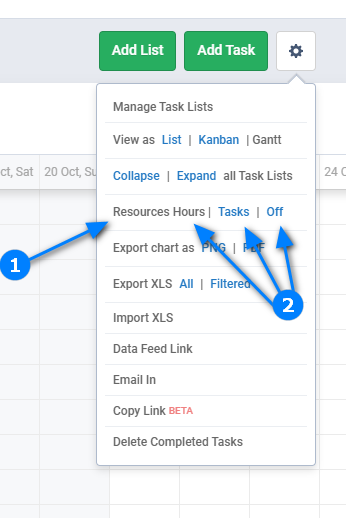
You can turn on the Resources features within the Gantt View, as seen below:
Learn more about Freedcamp Gantt view in our documentation.
Start your next project in two minutes
Freedcamp is free for unlimited projects, tasks and users. No credit card, no trial clock.
Where to these hours against tasks come from? How do I change them, or define them in first place. This would be akin to defining effort in MS Project.
Hi Ben,
Right now if you assign a task for a person for 1 day it will show 8 in ‘hours’ view or 1 in ‘tasks’ view inside resource panel assuming that person has no other tasks for that day.
Yeah, i would like to have a field in which i can change that 8 hrs to whatever real time we estimate the task to be done.