


We added an Auto-Save feature! Like Gmail, this saves a draft as you type and allows you to reload and continue later on. Check out the GIF below to see how it works.
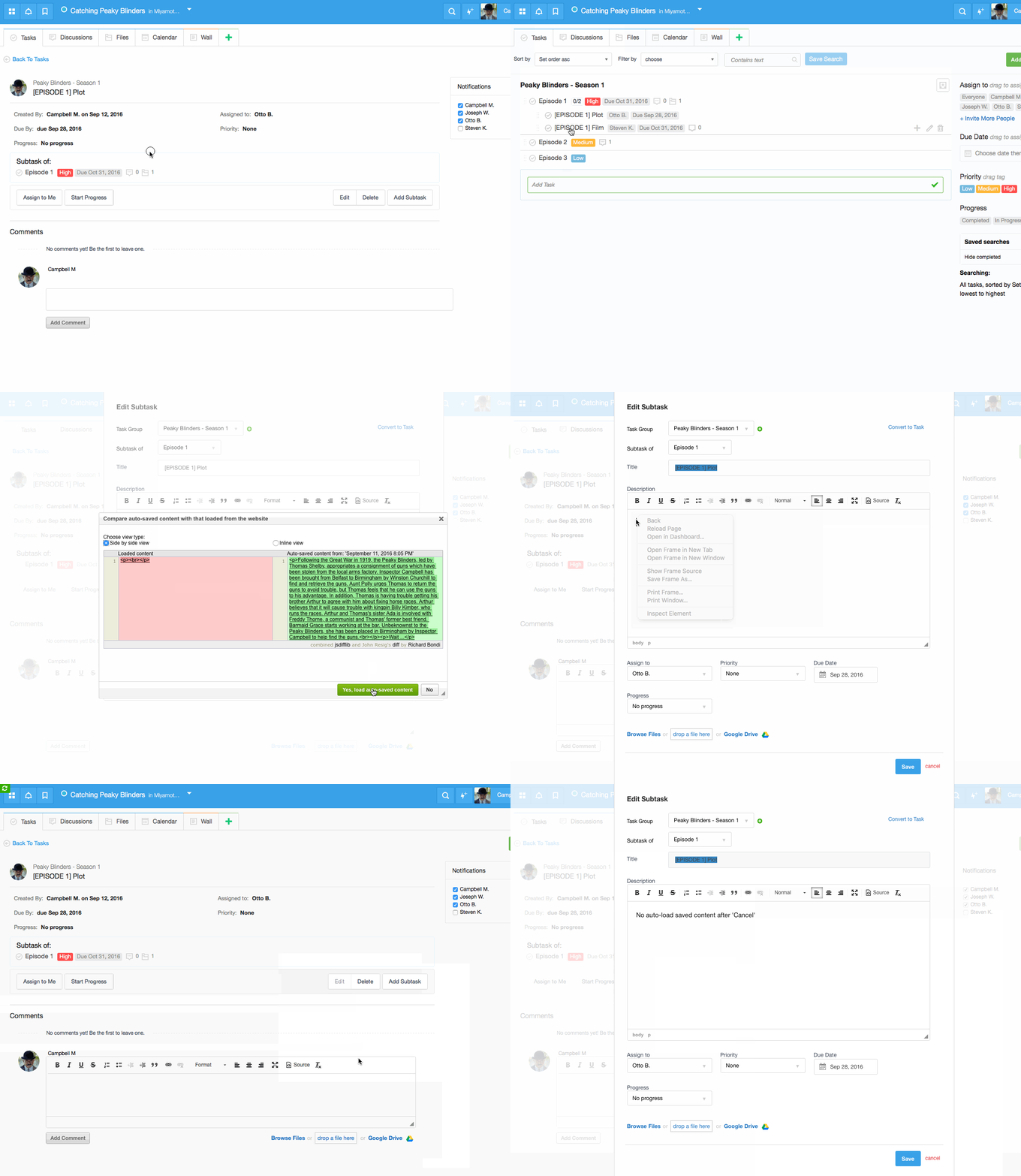
Auto-save is great if you forgot to save your message or closed browser by accident or your computer was powered off. If your content was saved bu Auto_save and you explicitly clicked ‘Cancel’ it will not be offered to load when you will visit return back to your action.
Start your next project in two minutes
Freedcamp is free for unlimited projects, tasks and users. No credit card, no trial clock.
[…] [AUTO-SAVE] Next step will prevent your Freedcamp updates from being lost because you forgot to save– or your cat decides to use your keyboard while you’re on the phone (see how it works). […]
the autosave version screwed me up. It prompted me for a recovery of autosave on the comment and saved the comment as the edit. I lost my activities tracking. i am absolutely not happy with this. i lost months worth of my planning work
Hi Dinesh,
When prompted to load auto-saved content – please also scroll down and check if you actually want to auto-load. It can not be 100% accurate.
Please email help@freedcamp.com exact scenario as it is not clear for me how auto-save could ruin activity tracking for a month tom me.
Cheers,
Igor
This did not work when the browser got shut down accidentally, you have to “confirm” the changes to the document that were done, wiki in my case, otherwise bye, bye 2 hours worth of transcribing – so then, what is the purpose of Auto-save? – It’s nice that it says “Auto-Saved” if it worked, otherwise it gives you the false impression that your work is safe
Hi Ana,
Even if it was a new, never saved Wiki, it works. Please see here. You simply open Wikis and start a new Wiki and auto-save will ask if you want to use saved text. Please see this animation – https://drive.google.com/file/d/1vYfu5tXhK8lmnFpc6QXS-e7idYA26yUK/view?usp=sharing
Same works for previously saved Wiki – you close a browser tab, open it, edit Wiki and auto-save prompt to recover will be shown.
Regards,
Igor